Stop Juggling 5 Apps to Manage Your Tasks & Deadlines
Most people lose hours every week jumping between sticky notes, to-do apps, and half-finished planners. Sheetly gives you Dashboards, Monthly & Weekly Calendars, Task Logs, Decision Matrix, Kanban Board, and Gantt Chart, all connected in one place.
Instant digital download • Works with Excel & Google Sheets • One-time payment
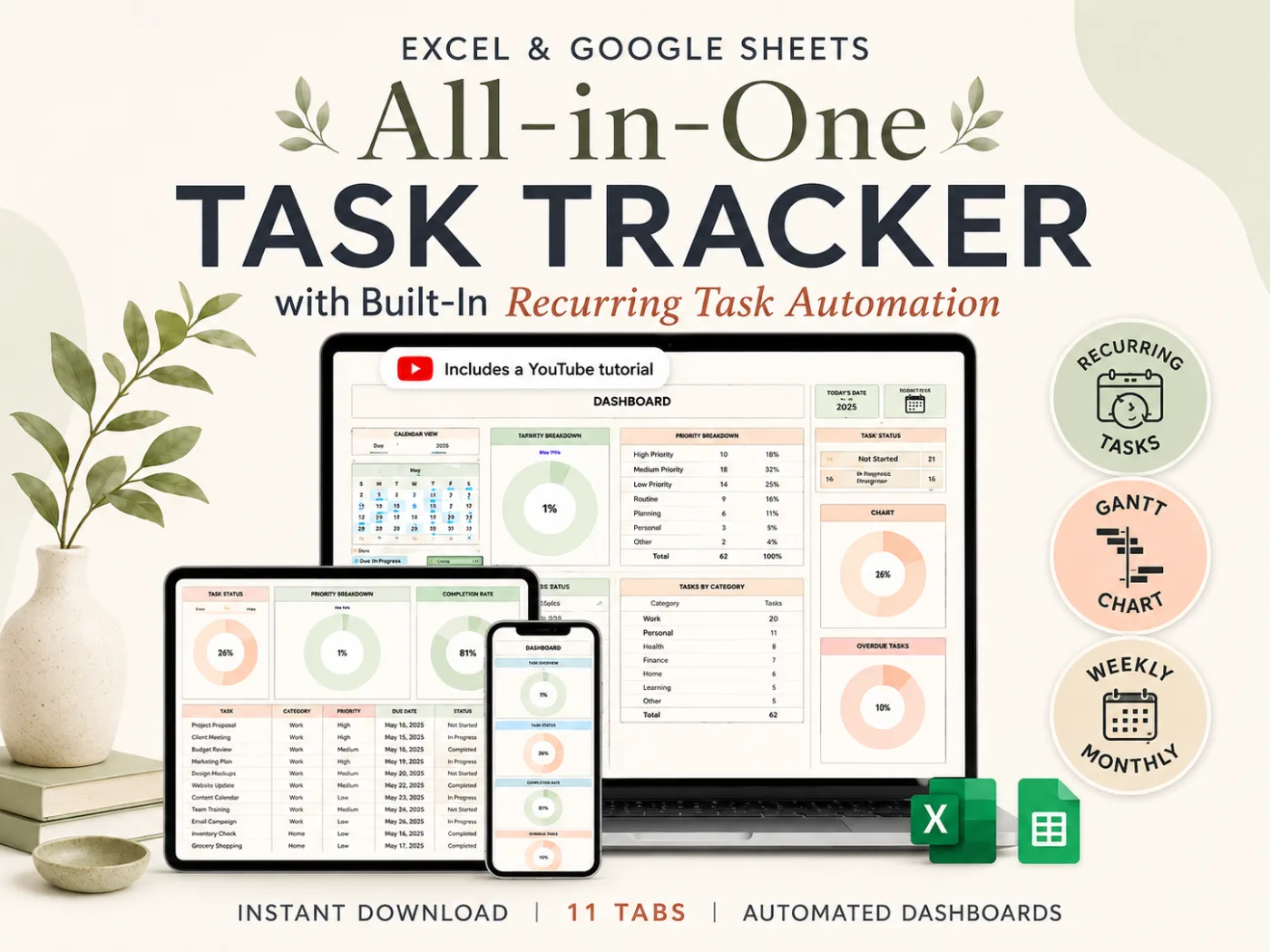
Works wherever you manage your tasks
11 Tabs. 4 Sections. One Download.
Everything you need to organize your tasks: designed, automated, and ready to use today.
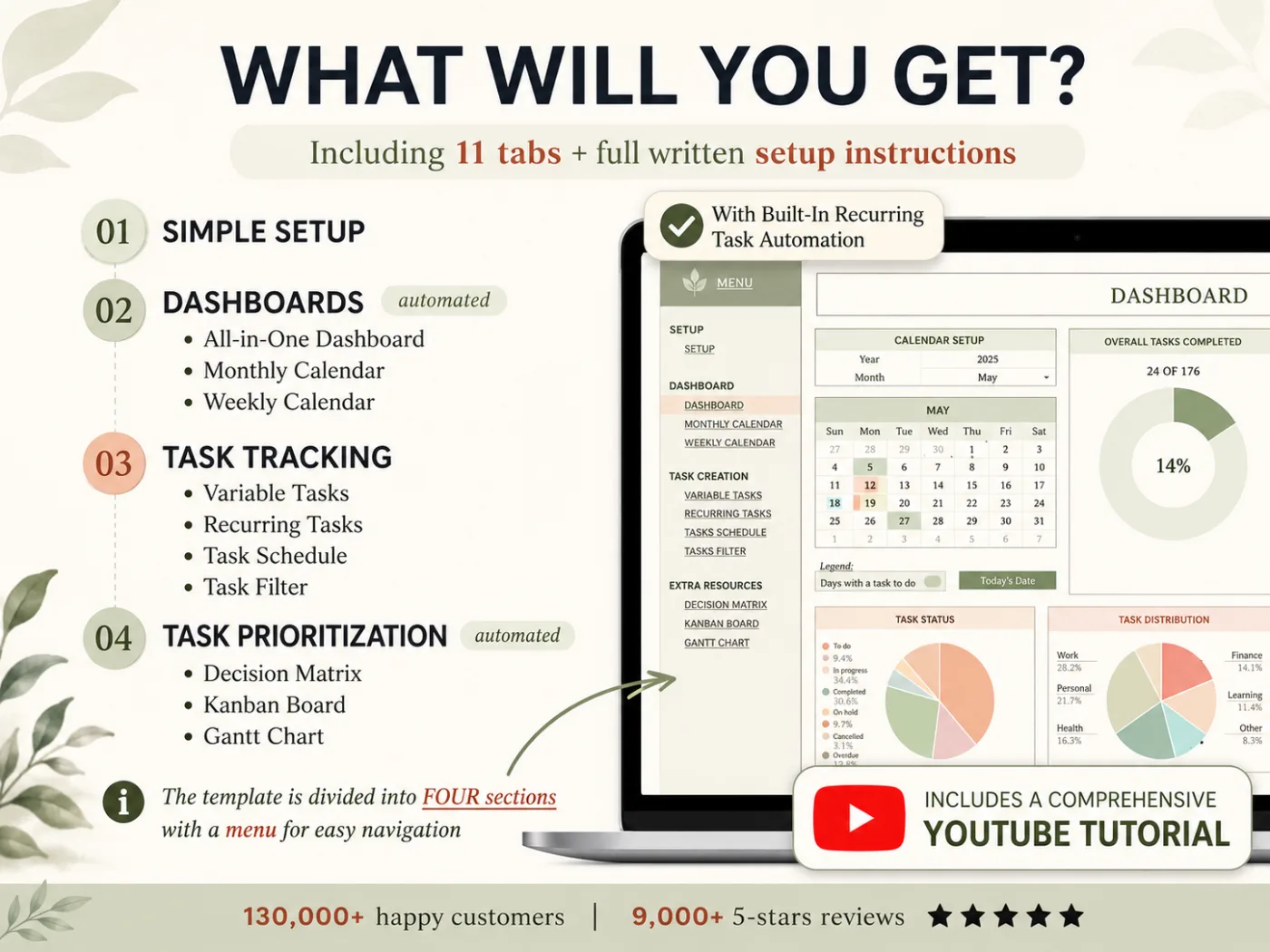
What a Real Task Dashboard Looks Like
Auto-fill tabs, automated dashboards, and beginner-friendly setup. Tasks, calendars, prioritization, and automation, all in one connected file.
Auto-Fill Tabs and Automated Dashboards
Type your tasks in once. Your dashboard, calendars, and progress rings update themselves. No formulas to write.
Excel and Google Sheets, Both Included
One purchase, two formats. Edit in your browser on Mac or PC, or on the go from your phone or tablet.
No Spreadsheet Skills Required
Designed for anyone, not spreadsheet experts. Step-by-step YouTube tutorial with timestamps walks you through every tab.
Recurring Tasks, Set Once
Log a repeating task once, pick a frequency, and the tracker repeats it for you: weekly, monthly, quarterly, yearly and beyond.
Everything in One File
Dashboard, Monthly & Weekly Calendars, Task Logs, Decision Matrix, Kanban Board, Gantt Chart. Stop juggling five apps.
Prioritize Smarter, Not Harder
Built-in Decision Matrix sorts tasks by urgency and importance so you always know what to do, decide, delegate, or delete.
11 Tabs. Everything Listed.
Dashboards (3 Tabs)
All-in-One Dashboard, Monthly Calendar, and Weekly Calendar. Automated charts and progress rings that update themselves as you tick off tasks.
Task Tracking (4 Tabs)
Variable Tasks, Recurring Tasks, Task Schedule, and Task Filter. Log one-time and repeating tasks, then filter by date, priority, or person.
Task Prioritization (3 Tabs)
Decision Matrix, Kanban Board, and Gantt Chart. Prioritize by urgency and importance, then visualize every project from backlog to done.
Also Included
- + Setup Tab for Easy Onboarding
- + Built-In Recurring Task Automation
- + Excel + Google Sheets Formats
- + PDF with Google Sheets Link
- + Editable Excel Spreadsheet
- + Step-by-Step Instructions PDF
- + In-Depth YouTube Tutorial
- + Track Up to 10,000 Tasks
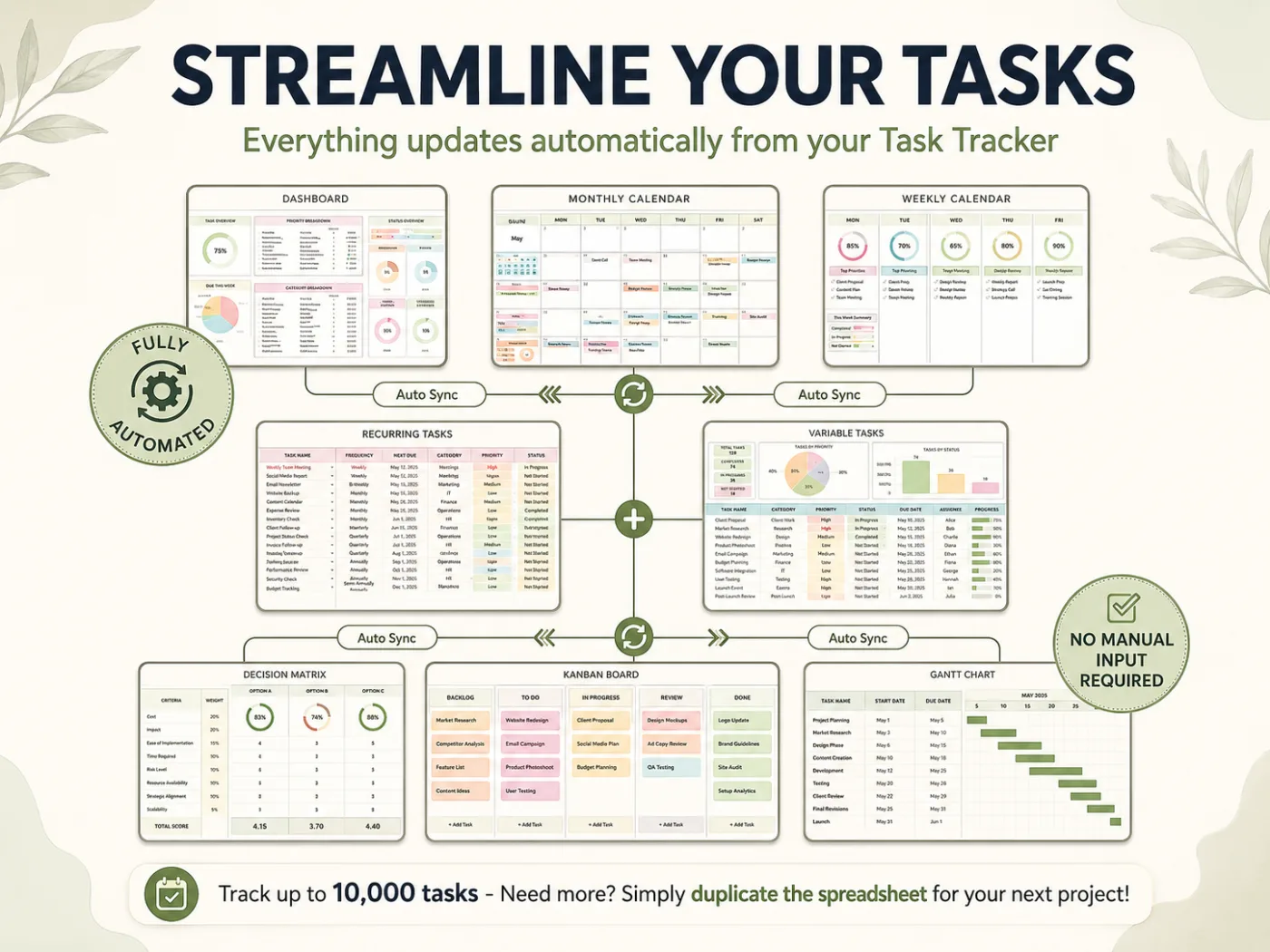
Everything in the All-in-One Task Tracker
Every tab works in Excel and Google Sheets. Type your tasks in once, watch the dashboards build themselves.
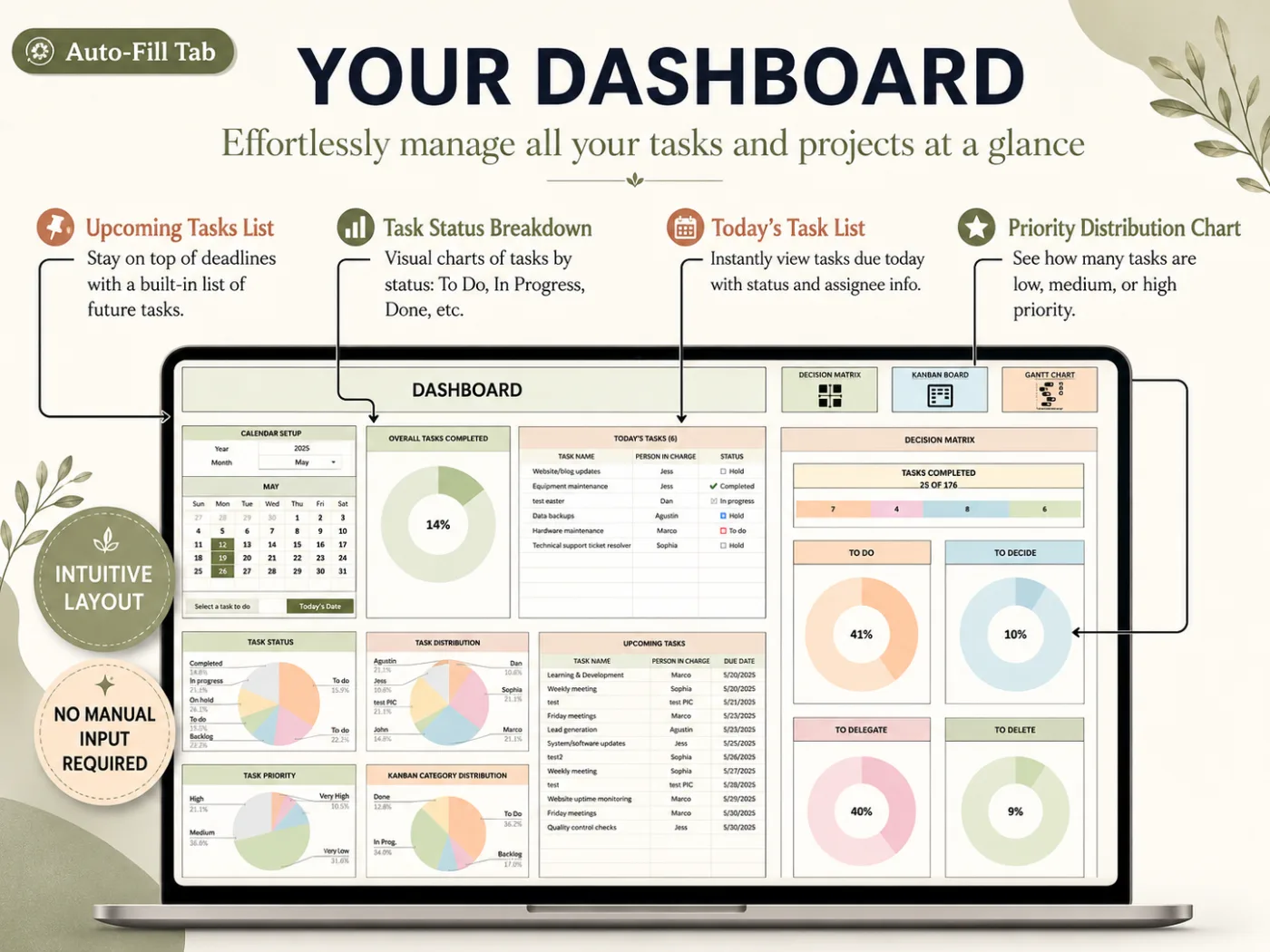
All-in-One Dashboard
The command center of your workflow. Type your tasks in once and watch the dashboard fill itself: completion rings, today's tasks, upcoming deadlines, and priority breakdowns, all auto-synced.
- Upcoming Tasks
- Status Breakdown
- Today's Tasks
- Priority Chart
- Completion Rate
- Kanban Breakdown
- Quick Links
- Excel & Sheets
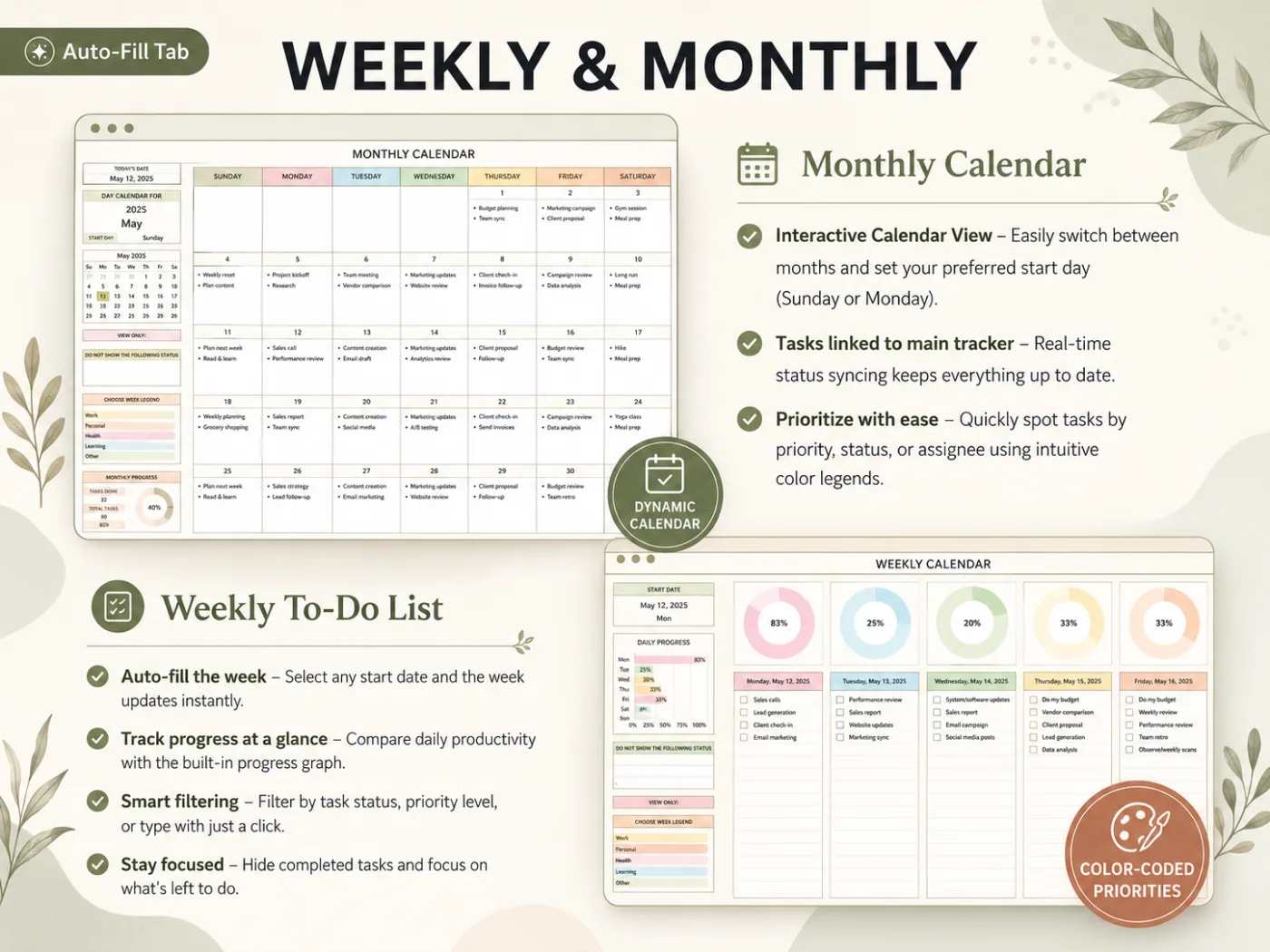
Monthly & Weekly Calendars
See every deadline in the view that fits you. An interactive monthly calendar and an auto-filling weekly to-do list, both linked dynamically to your task tracking logs.
- Monthly Calendar
- Weekly To-Do List
- Start Day Selector
- Progress Graph
- Color-Coded Status
- Linked to Tracker
- Smart Filters
- Hide Completed
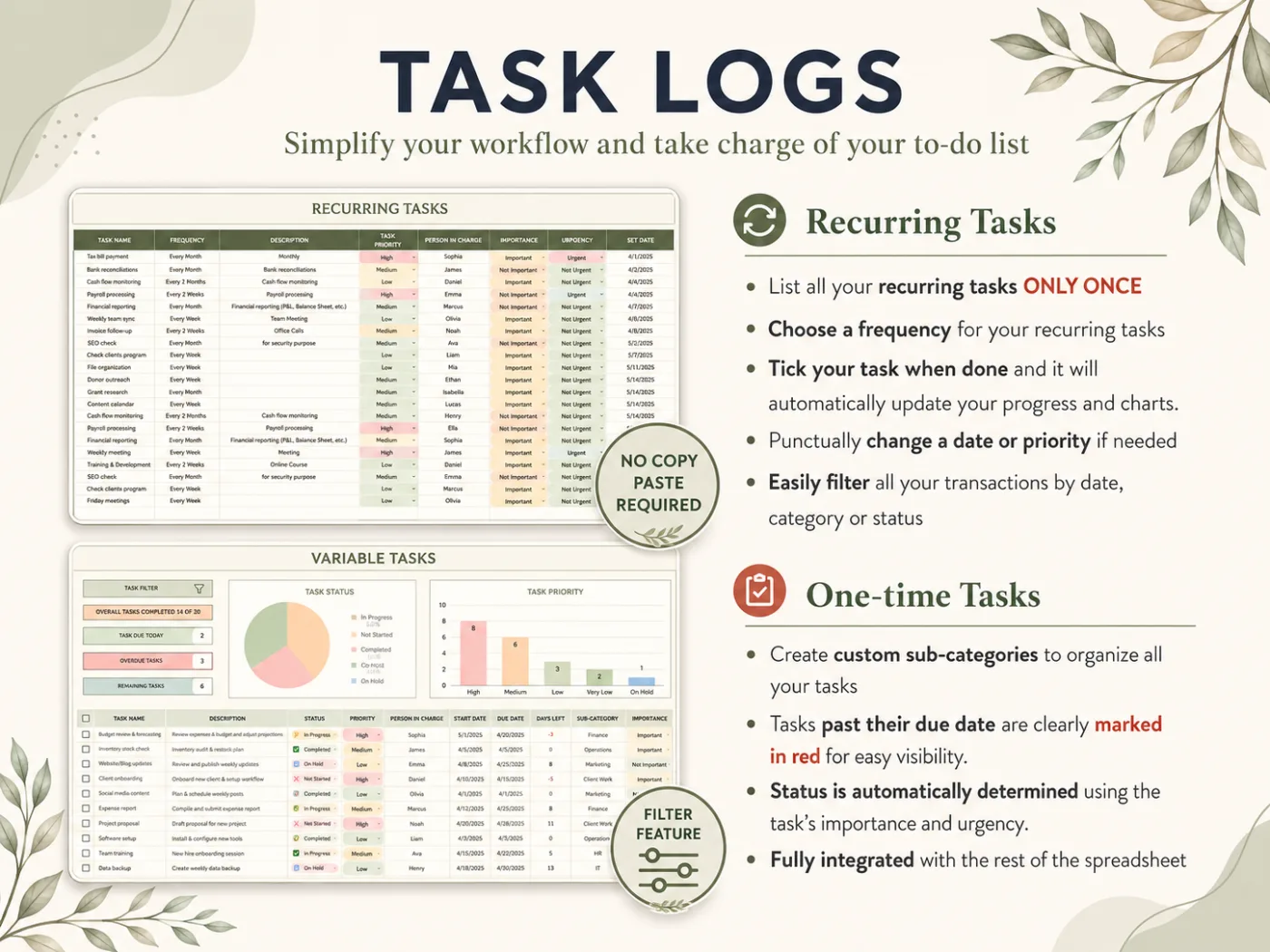
Variable & Recurring Tasks
Plan your next quarter, month, or day in a breeze. Variable tasks and recurring tasks: every entry here powers the rest of the file automatically.
- One-Time Task Log
- Recurring Tasks
- Auto-Schedule Sync
- Category Breakdown
- Priority Matrix Tags
- Status Dropdowns
- Notes & Details Field
- Integrated with Tabs
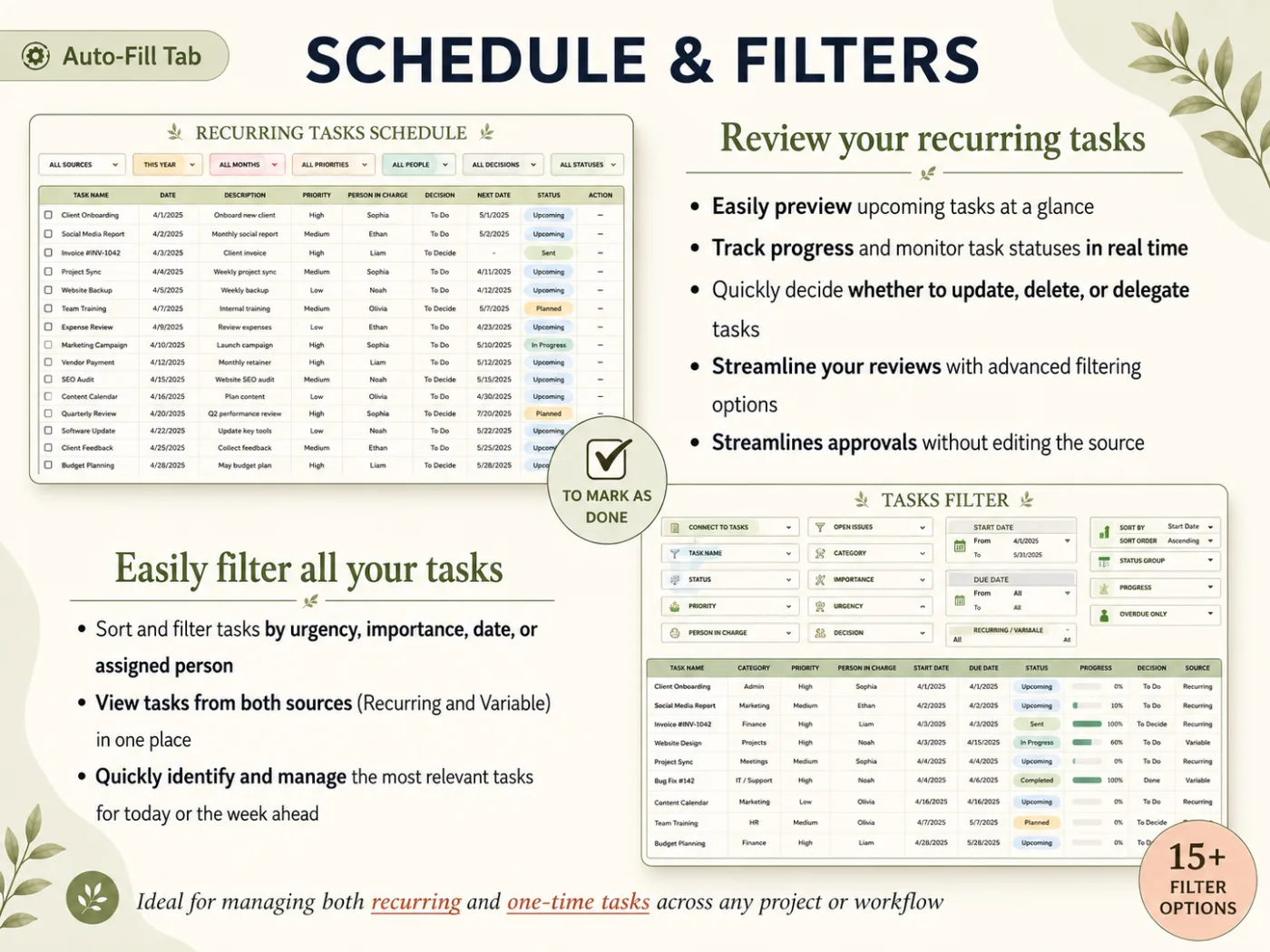
Task Schedule & Filter
Review everything in one place. A recurring-task schedule and a master filter with 15+ options so you can sort by urgency, importance, date, project, or person.
- Recurring Schedule
- 15+ Filter Options
- Sort by Urgency
- Real-Time Preview
- Tick to Mark Done
- Both in One View
- Person Assignment
- Advanced Search
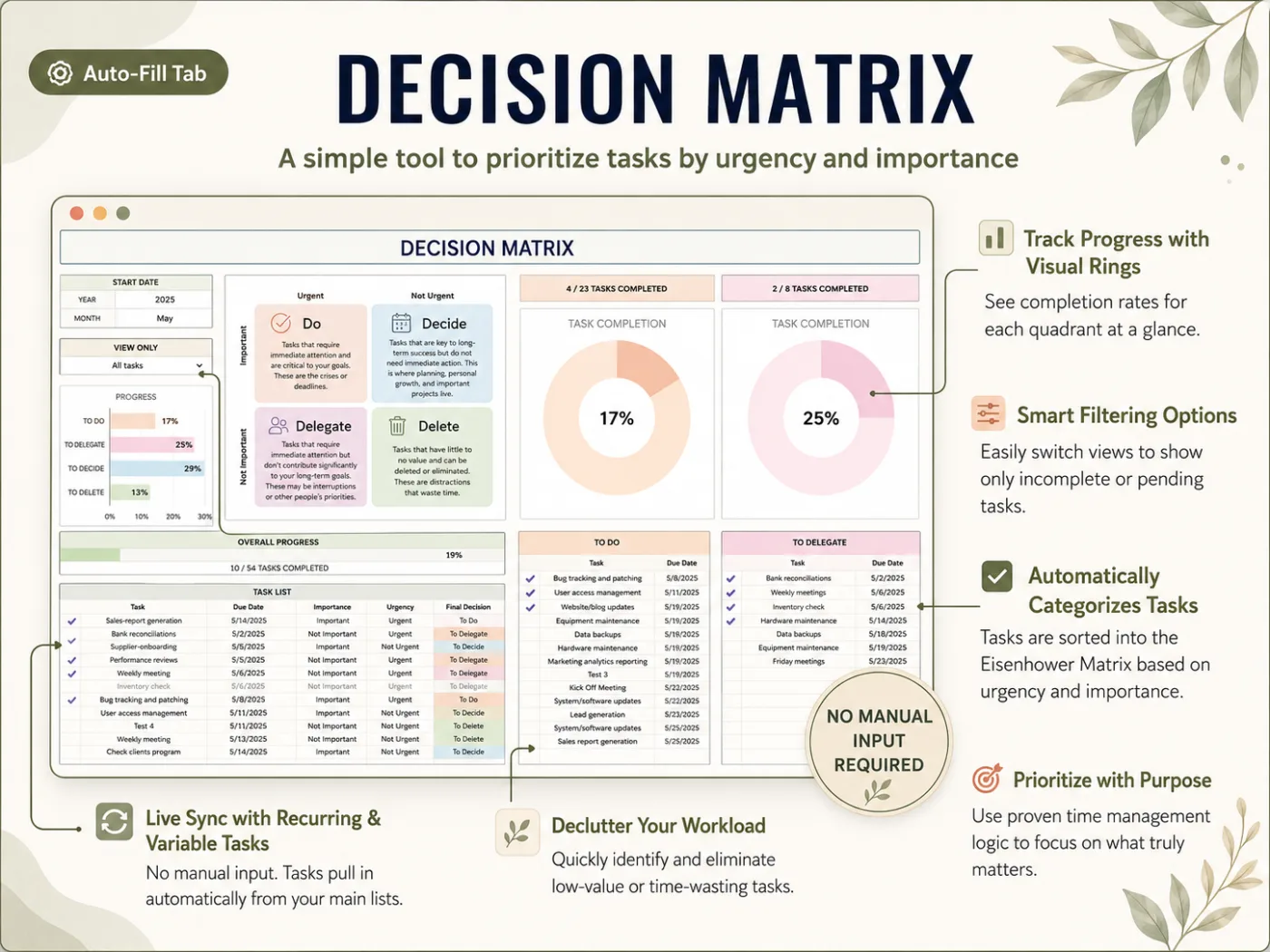
Decision Matrix
Prioritize with a proven system. Tasks pull in automatically and sort into the Eisenhower Matrix (Do, Decide, Delegate, Delete) with visual color coding and completion rings.
- Do/Decide/Delegate
- Visual Progress Rings
- Auto-Categorized
- Live Sync with Tasks
- Completion Rate
- Declutter Workload
- Prioritize Purpose
- 100% Automated
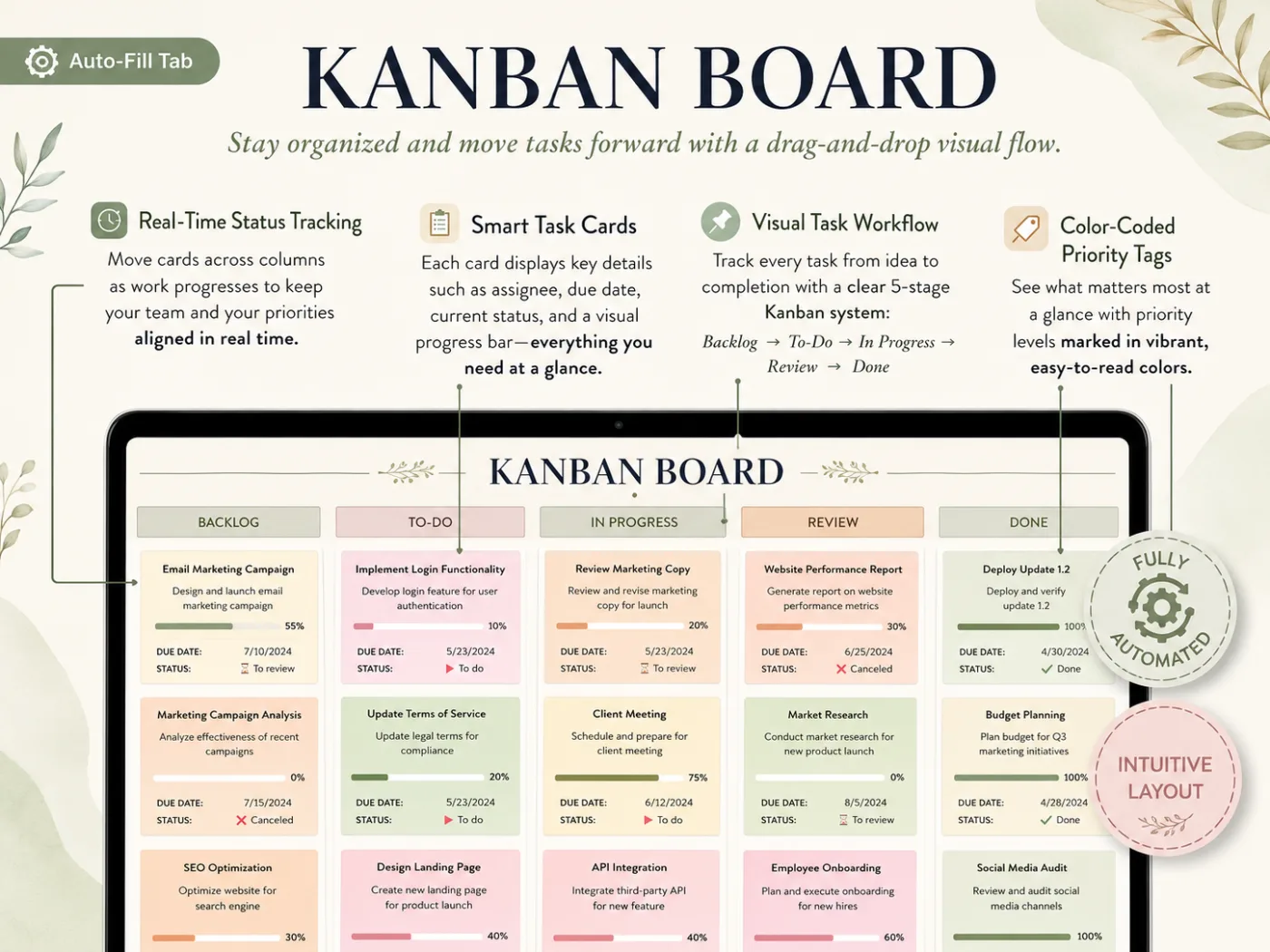
Kanban Board
Move work forward with an agile workflow. Track every task from idea to done across a clear 5-stage board (Backlog, To-Do, In Progress, Review, and Done).
- 5-Stage Visual Flow
- Smart Task Cards
- Real-Time Tracking
- Color Priority Tags
- Progress Bars
- Assignee & Due Date
- Backlog to Done
- Auto-Fill Powered
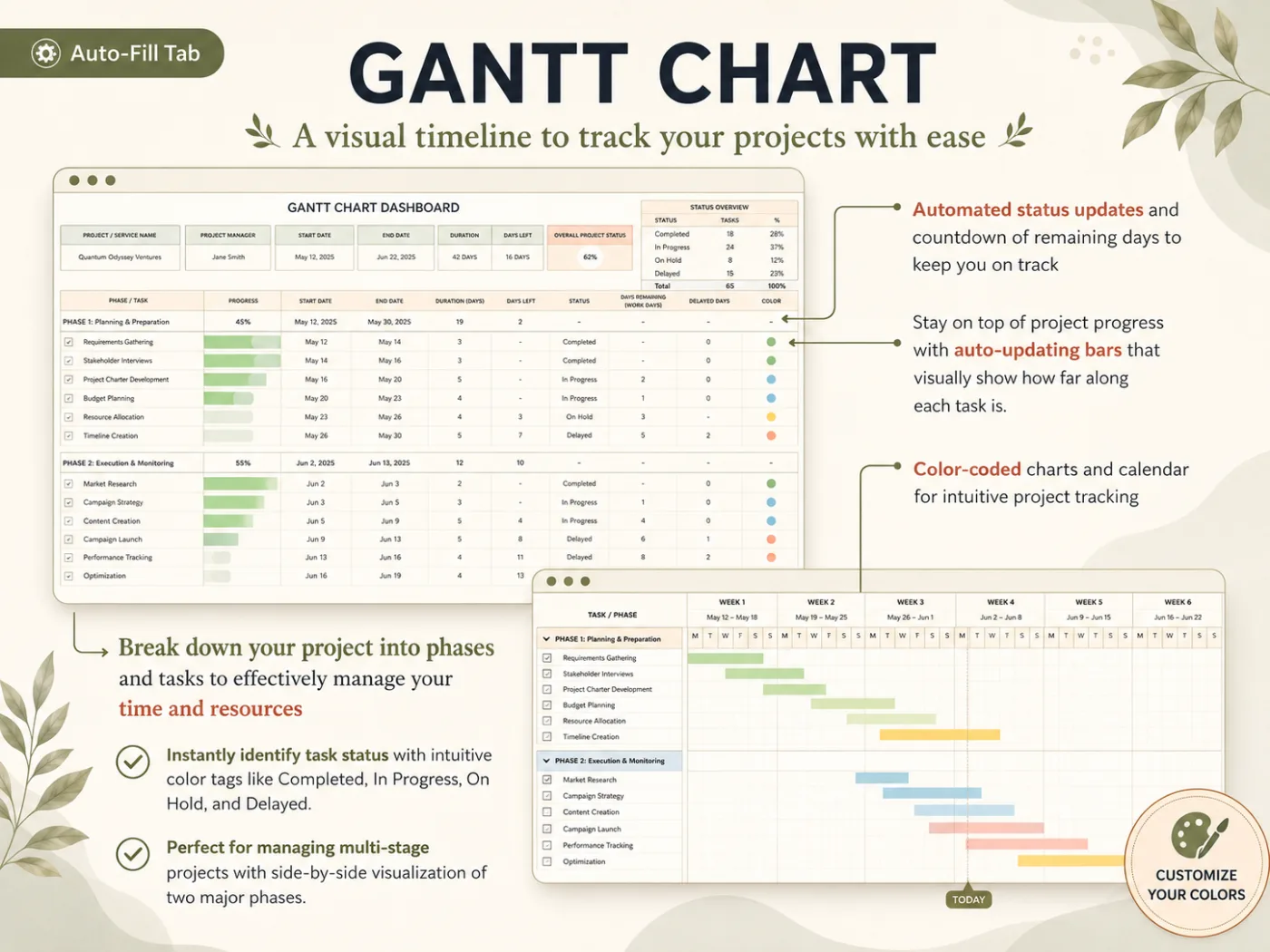
Gantt Chart
A visual timeline for bigger projects. Break work into phases and tasks, then let the chart auto-update its bars, count down remaining days, and track team progress side by side.
- Project Timeline
- Phases & Tasks
- Status Updates
- Auto Progress Bars
- Days-Left Counter
- Color-Coded Bars
- Multi-Phase View
- Auto-Fill Tab
Watch the Tutorial. Set It Up Tonight.
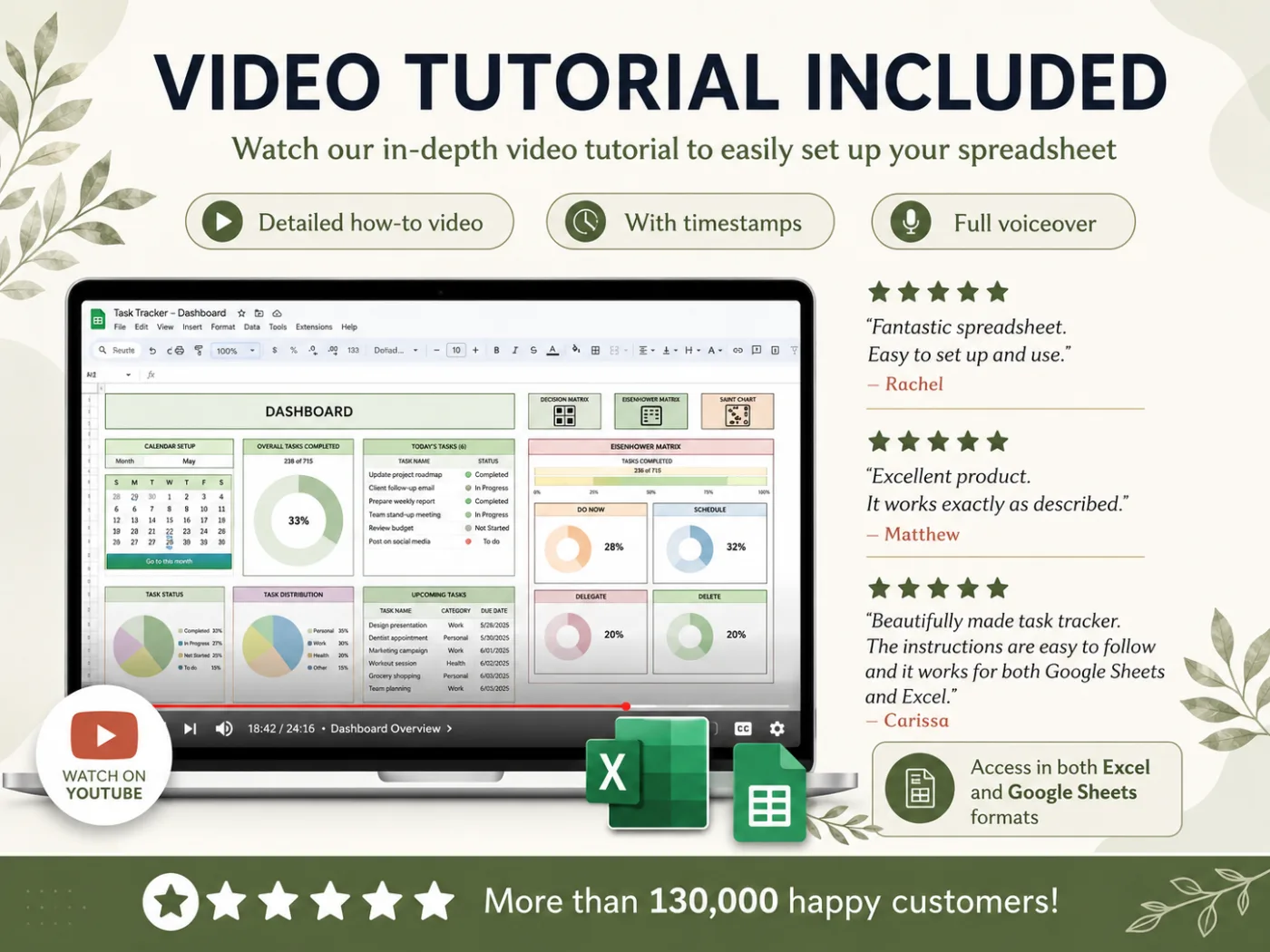
A full step-by-step YouTube walkthrough with timestamps and voiceover. Set it up tonight and wake up with your entire life organized.
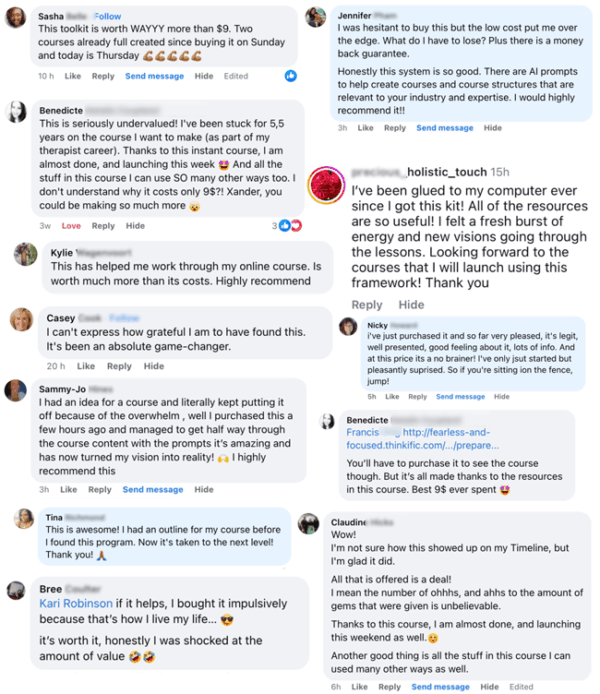
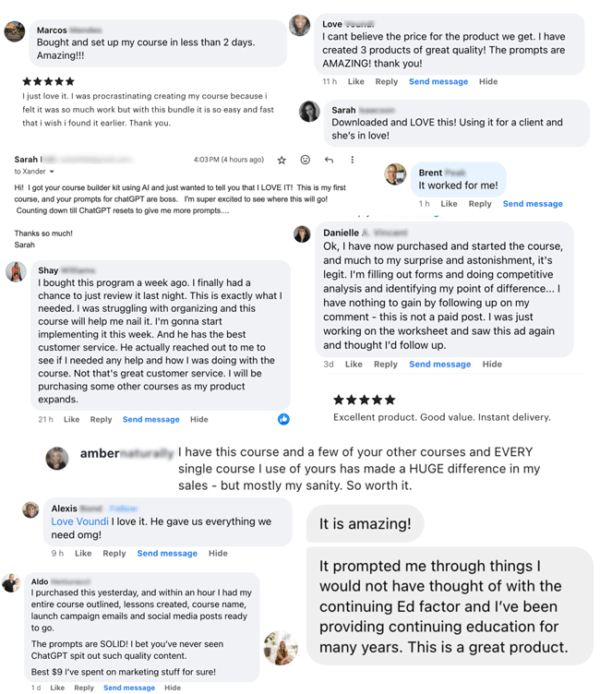
What Our Customers Are Saying
Real reviews from real people who simplified their daily routines
“Fantastic spreadsheet! Easy to set up and use. I finally have every task and deadline in one place instead of five apps.”
“Excellent product. It works exactly as described. The recurring tasks tab alone saved me hours every week.”
“Beautifully made task tracker. Instructions are easy to follow, and options for both Google Sheets and Excel make it unbeatable.”
11 Tabs, One Download, Yours Forever
Excel and Google Sheets, both included. Open it on your laptop, phone, or tablet. Type your tasks and the dashboards do the rest.
SET UP TONIGHT
Every tab is built, formatted, and pre-formulated. Type in your tasks, follow the YouTube tutorial, and you're done in under an hour.
ONE PRICE, EVERY PROJECT
Pay once and reuse the file across every project, year after year. Track up to 10,000 tasks. No per-month fees, no subscriptions.
NO SPREADSHEET SKILLS
Beginner friendly. Designed for anyone, not spreadsheet experts. If you can type into a cell, you can run your day with this tracker.
How It Works
Get started in minutes with instant digital access
Purchase
Complete your secure checkout
Download
Excel file + Google Sheets link by email
Watch Tutorial
Step-by-step YouTube walkthrough
Track Tasks
Type in tasks, dashboards do the rest
11 Tabs, 4 Sections. One Download.
Dashboards, Calendars, Task Logs, Decision Matrix, Kanban, and Gantt
One-time payment • No monthly recurring fees
Instant digital download. Immediate access delivered to your email upon checkout. 30-day satisfaction guarantee on digital goods.
Why People Choose Sheetly
Four connected sections to plan, track, and prioritize: side by side with alternative tools.
| Feature | Sheetly | Notion / Asana | Sticky Notes |
|---|---|---|---|
| Pricing Model | Pay Once (₹299) | $10–$25 / month | Cheap, but chaotic |
| Setup Time | Under 10 minutes | Days of tweaking | Instant |
| Data Ownership | 100% Yours (Drive / PC) | Locked in cloud server | Paper on desk |
| Recurring Automation | Built-In Automatic | Requires paid plugins | Manual re-writing |
| Decision Matrix | Included Eisenhower tab | Complex custom formulas | None |
Frequently Asked Questions
Everything you need to know before you buy